
An API key lets a tool that can't sign in — an automation, a script, a coding agent — use MinutesMaster's MCP server at https://api.minutesmaster.ai/mcp. AI apps that can sign in (Claude, ChatGPT and others) don't need one.
On the website
- Step 1:
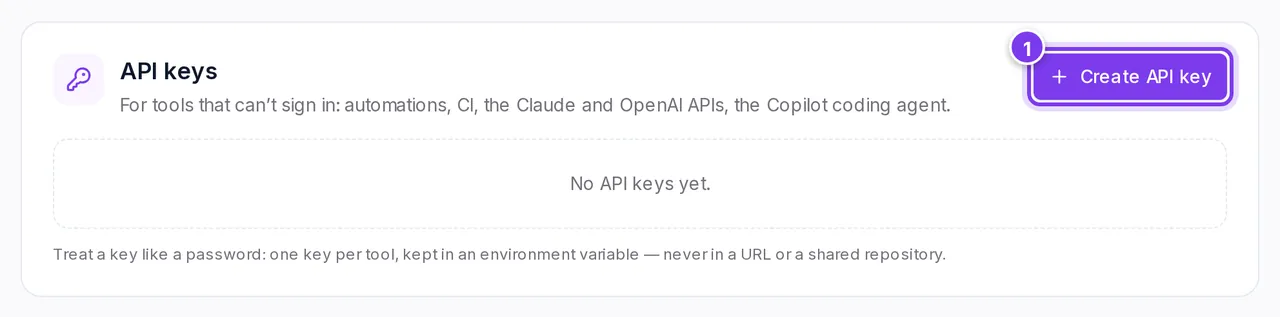
Go to Settings → Apps & AI agents. Under API keys, click Create API key.
- Step 2:
Give it a Name you'll recognise, for example the tool that will use it.
- Step 3:
Under Permissions, Read meetings is always included. Tick Organize & edit if the tool should change meetings, and Send bots & import recordings only if it should spend your credits.
- Step 4:
Choose when it Expires and click Create key.
- Step 5:
Copy the key now — it is shown only once — then click I’ve saved my key.
- Step 6:
In your tool, connect to https://api.minutesmaster.ai/mcp and give the key as a Bearer token. The setup guides on the same page (n8n, Zapier, Make, Claude Code, Codex and others) show where to paste it.
To stop a key, click Revoke next to it: anything using it stops on its next request. Activity on the same page shows the recent calls made with your keys and apps.
In the mobile app
Open You → AI agents. Under API keys you can create a key (New key) with its permissions and expiry, see your keys and Revoke them.
Good to know
- A key is shown only once. If you lose it, revoke it and create a new one.
- A key's permissions can't be changed later; create a new key instead.
- Changing your password revokes all your API keys and disconnects your AI apps.
- ChatGPT can't use API keys; it always signs in.
- There is a limit on how many active keys an account can have.
Questions and answers
- Is an API key free?
Yes. Reading your meetings is free; only sending a bot or importing a recording spends credits, and only with that permission.
- Which permissions should I give an automation?
Only what it needs. Leave Send bots & import recordings off unless the workflow sends bots or imports recordings.
- My key stopped working.
It may have expired, been revoked, or your password was changed. Create a new key.
Checked against the product on 23 November 2026